
Case Study · Education
IGTU CIM Digital Twin Lab
Building a connected physical + virtual learning environment for 300+ women engineers preparing for Industry 4.0.
Building a connected physical + virtual learning environment for 300+ women engineers preparing for Industry 4.0.
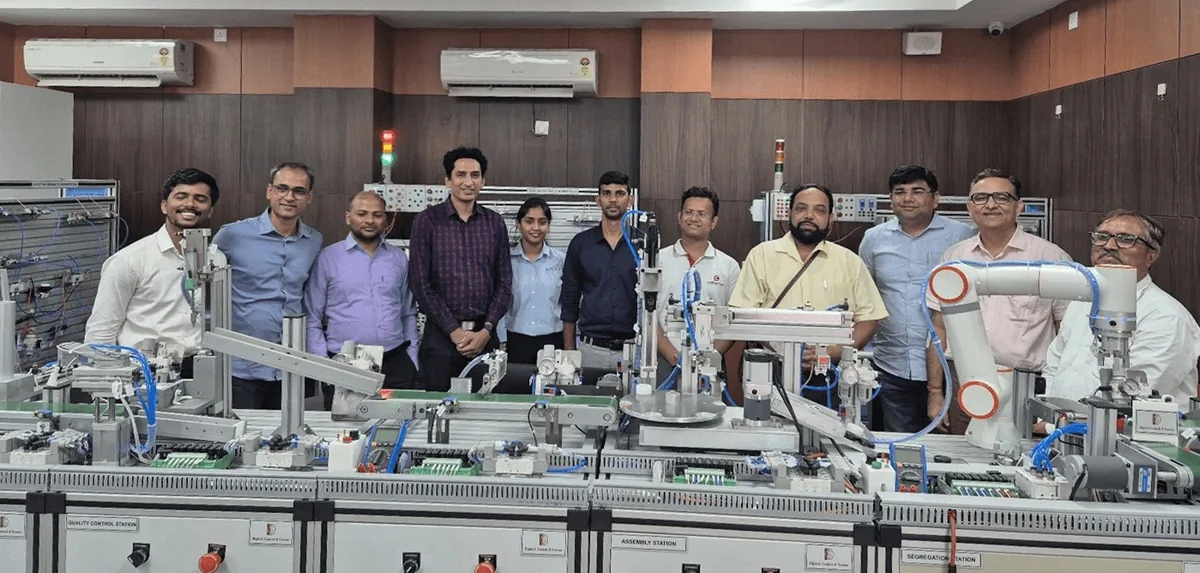
IGTU's smart manufacturing initiative includes a Computer Integrated Manufacturing (CIM) system, developed and installed by Digitech Robotics India Private Limited. The system features real automation hardware that students can interact with on the lab floor.
IGTU's lab vision included a Digital Twin layer to enhance learning outcomes — enabling students to study the CIM system more comprehensively alongside practical, hands-on lab work. Specifically, the university wanted a virtual layer that would:
APEXIZ used a repeatable five-step delivery method to implement the lab's Digital Twin layer:
APEXIZ aligned the lab vision to concrete learning outcomes: students should be able to design, simulate, and validate production workflows in a realistic environment, then connect those insights to hands-on lab work.
APEXIZ mapped the physical CIM system into a structured virtual learning model — ensuring the simulation environment was not an abstract demo, but a purposeful mirror of what students would encounter on the lab floor. This involved:
APEXIZ developed a custom-built simulation model of the Digitech Robotics CIM system so students can explore the system both virtually and physically within one connected environment. The model supports:
"We are using Visual Components software for our mechatronic system to design, simulate, and validate the complete automation process. This software helps us visualize system behavior, verify layouts, optimize cycle time, and ensure smooth integration of mechanical, electrical, and control components before actual implementation. It significantly improves design accuracy, reduces development time, and enhances overall system reliability."
— Mr. Ajit Gate, Director, Digitech Robotics India Private Limited
APEXIZ standardized the simulation lab environment using Visual Components Education Edition so faculty could run repeatable coursework and students could build, test, and iterate consistently across classes. This created a common platform for learning factory simulation concepts aligned with robotics, production planning, and automation labs.
"We are incredibly proud to be part of the curriculum at IGTU, supporting the technical education of women in India through our software and enabling them to create and implement digital twins, smart manufacturing and robotics through a single package. We very much look forward to the cooperation with IGTU and seeing the results created by their staff and students alike."
— Hans Garritzen, Partner Manager, Visual Components
APEXIZ enabled faculty adoption so the lab becomes a sustained academic capability — not a one-off installation. Faculty integrated the platform into robotics, production planning, and automation coursework. Students also began using the simulation environment beyond assignments, prototyping startup concepts inside the university's incubation center.
By combining real CIM hardware with a connected simulation environment, IGTU created a future-ready learning setup. The outcomes speak to both adoption and impact:
← Back to Education solutions"Our vision is twofold. First, to use Visual Components to educate students about the wide variety of industrial equipment — through access to over 3,500 smart models in the eCatalog. Second, to empower aspiring manufacturing professionals with hands-on experience in simulation, offline programming, and virtual commissioning — tools essential for smart decision-making in modern factories."
— Hari Nidamarthy, CEO, APEXIZ